RANKER Desktop/Public Beta
Your workspace.
On your computer.

Make room
for Ranki on your desktop.
A space to think, create, and act. Install the beta and help us build what's next.
Ubuntu / Debian: download the .deb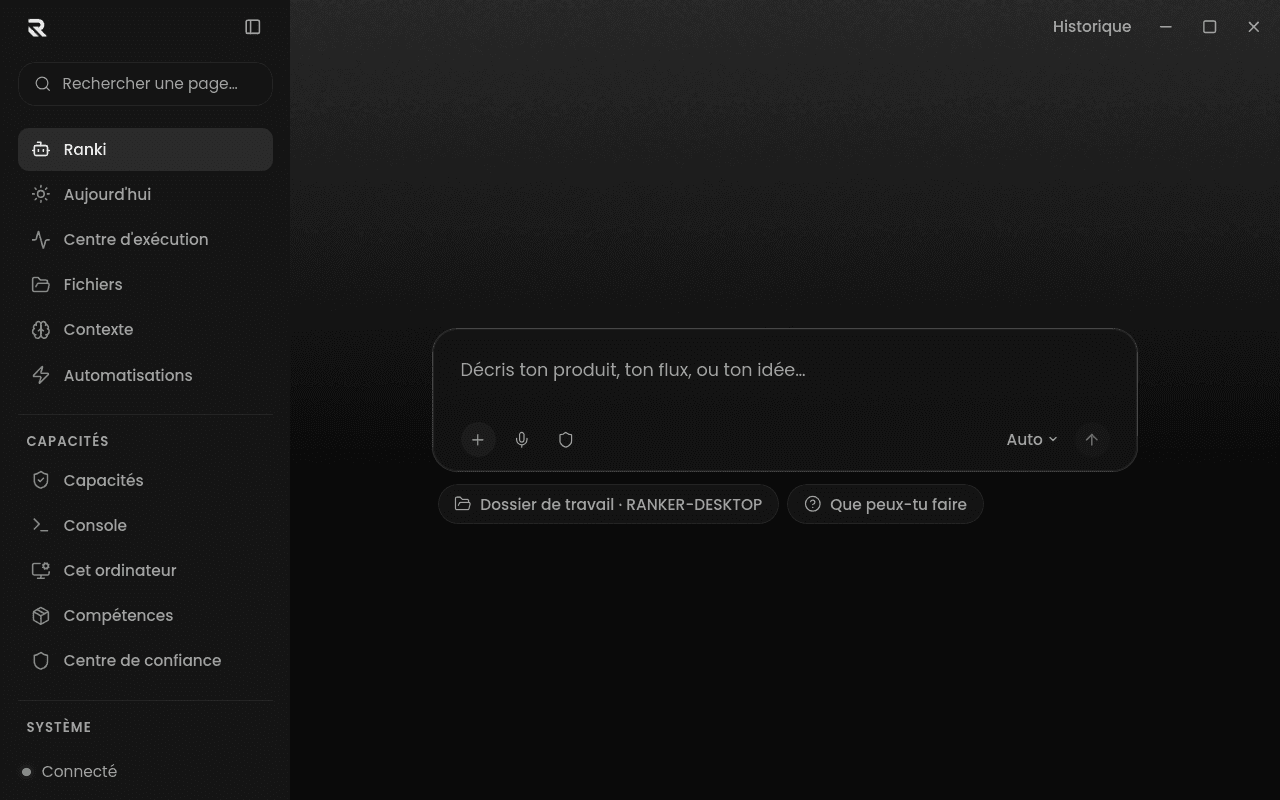
Your files, at your fingertips.
Choose which folders Ranki can access. Read, search, and work on your files from a single conversation.
You have the final say.
Permissions stay on your computer. You see what is requested and decide before sensitive actions.
A beta that moves with you.
Report what's stuck. The app notifies you when a new version is available, then you choose when to install it.
How do I install RANKER Desktop?
Download the installer for your system. On macOS, open the .dmg and drag RANKER to Applications. On Windows, run the .exe. On Linux, make the AppImage executable. On Ubuntu 22.04+ or Debian 12+, you can also choose the .deb package. Then sign in to your RANKER account.
Which Mac should I choose: Apple Silicon or Intel?
Open the Apple menu → About This Mac. If you see an M1, M2, M3 or newer chip, choose Apple Silicon. If you see an Intel processor, choose Intel.
Is the app finished yet?
It's a beta: some features may still evolve or have issues. You can send feedback from settings. The app version and your system are included in your report.
Why does my system show a warning?
Early test versions may not yet have a Windows publisher certificate or Apple notarization. Check the release notes before installing. The signature that verifies updates is a separate mechanism.